Maya Okafor Verified buyer
October 5, 2026
Morning coffee upgrade
Holds a proper amount of coffee and the handle fits three fingers. The speckles look even better in person than in the photos.
- Quality
- Value
- Service
Your site emails each customer one link to review everything they bought, then shows ratings, photos and criteria bars on the product page.
No account to create. No cap on reviews or reminder emails. Free with no time limit, not a trial.
Rosette Reviews is a free WooCommerce reviews plugin for WordPress. It replaces the default reviews tab with timed reminder emails, one link per order, and a review section with a rating summary, criteria bars, photo reviews, filters and search. Ratings also join WooCommerce’s product schema, the markup search engines read. Everything runs on your WordPress server.
The free plugin is complete on its own, with 47 features and no cap on reviews, reminder emails or photos. Rosette Reviews Pro is an optional yearly add-on. It adds video reviews, store replies, product questions and answers, coupon rewards, AI summaries with your own key, importers from other review plugins and more widgets. Made by Nowdigiverse and published under the GPLv2 or later licence.
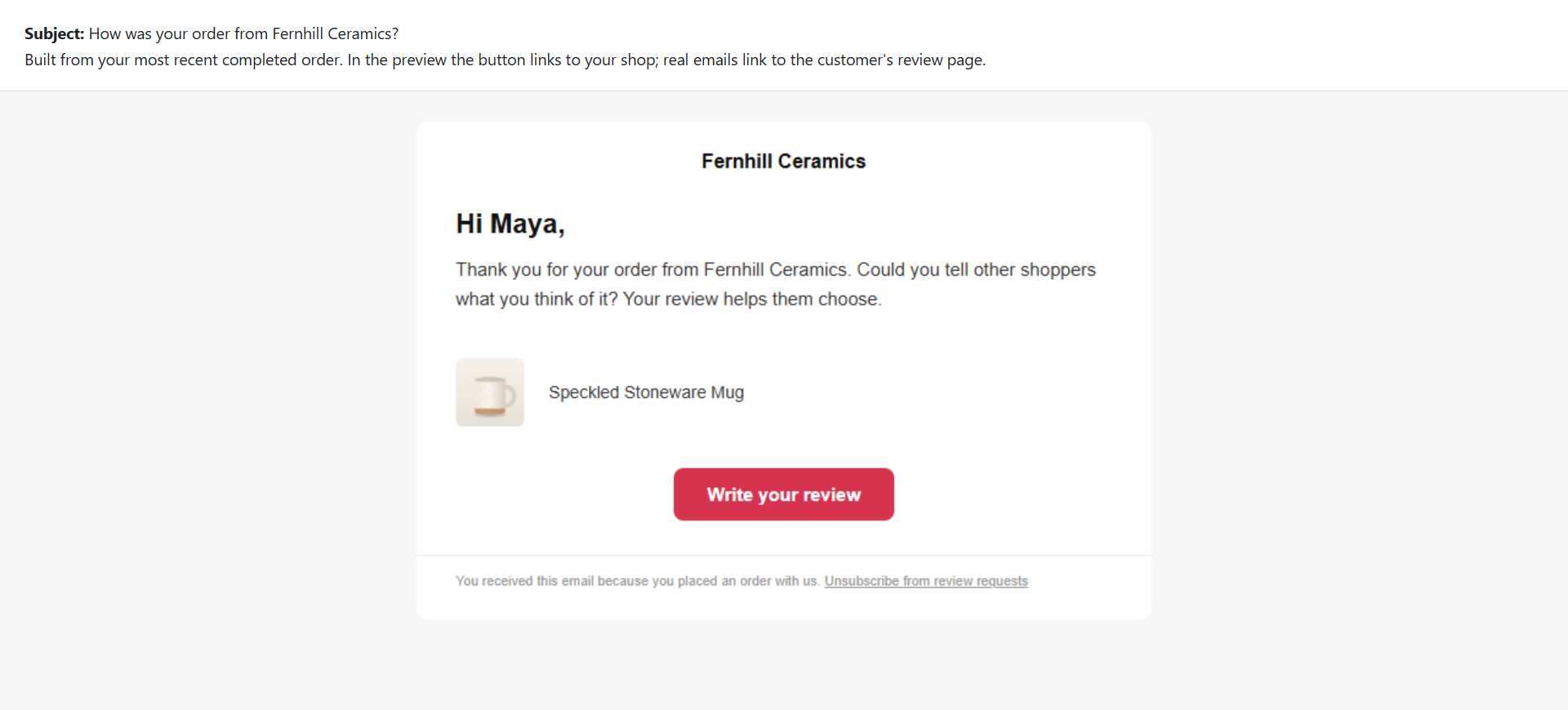
After an order reaches the status you choose and your delay has passed, your store emails the customer one link to a page listing every product bought. The customer reviews them without logging in; each review is marked as a verified purchase. One follow-up goes only to those who have not reviewed.
An order reaches the status you choose. Rosette Reviews waits the number of days you set.
Your site’s own mail sends one email with a link that works only for that order and covers every product in it.
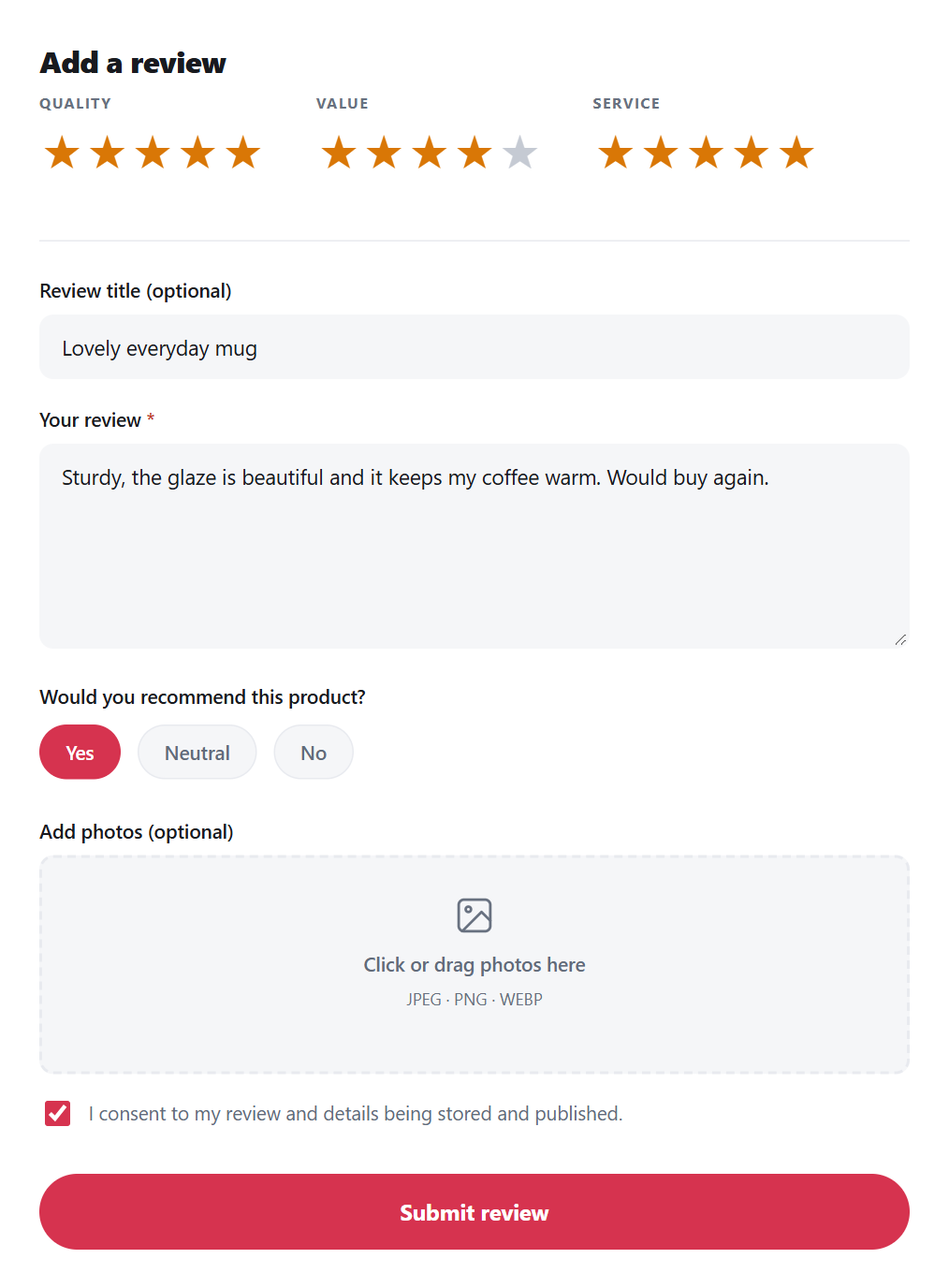
The customer rates each product and adds criteria scores and photos on one page, with no login.
The summary, criteria bars and photos update, and the rating joins WooCommerce’s product schema.
Each review is saved as a standard WooCommerce review with its star rating, so WooCommerce keeps showing it if you deactivate the plugin. The screenshots on this page come from a demo store, Fernhill Ceramics; the orders, reviewers and numbers are made up.
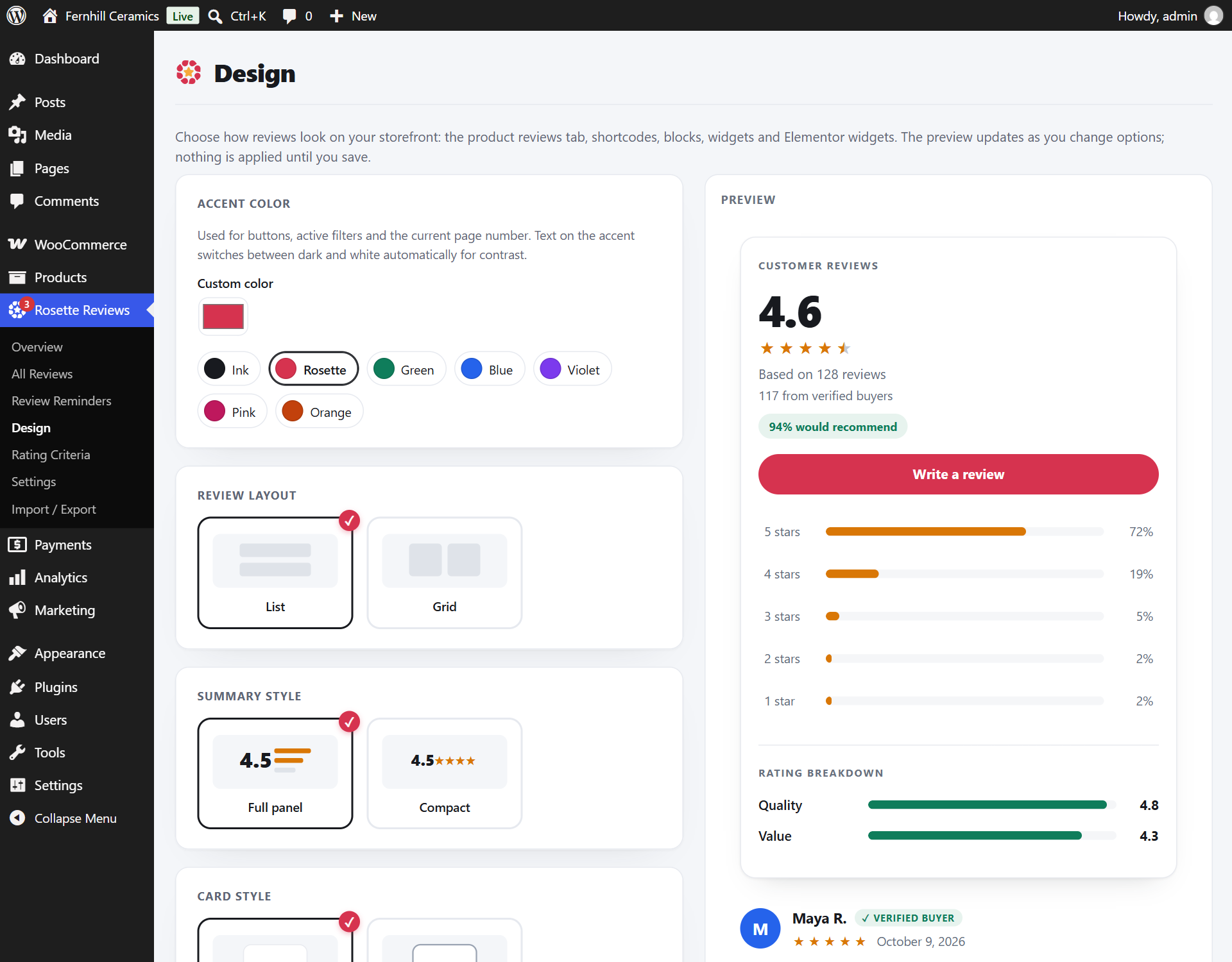
Rosette Reviews shows shoppers the average, the star spread and how many buyers recommend the product. Under it: criteria bars such as Quality, Value and Service, and filters for star rating, photos and verified buyers. Products with 10 or more reviews get a search box. Review cards show customer photos, a verified badge and an initials avatar.
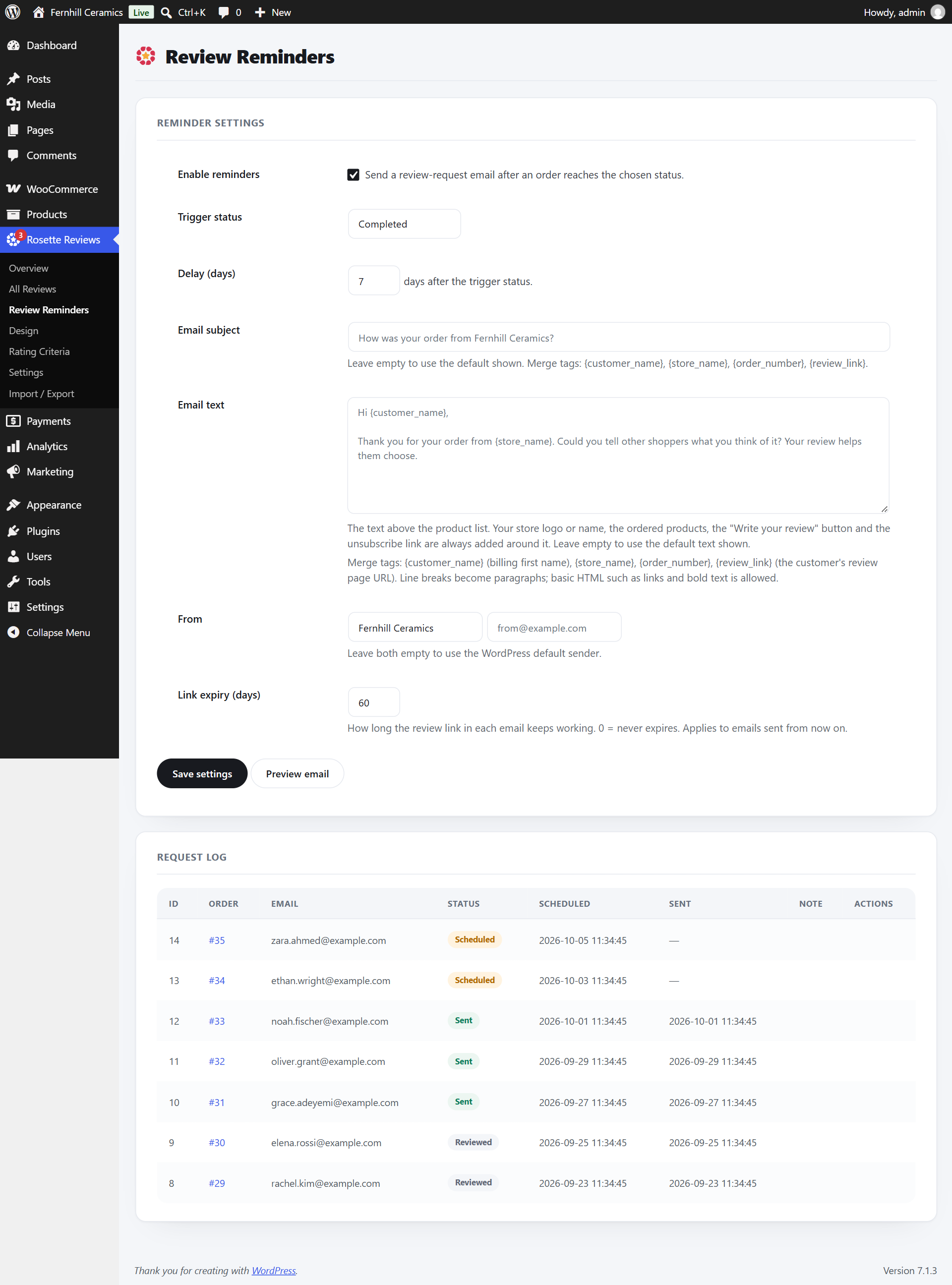
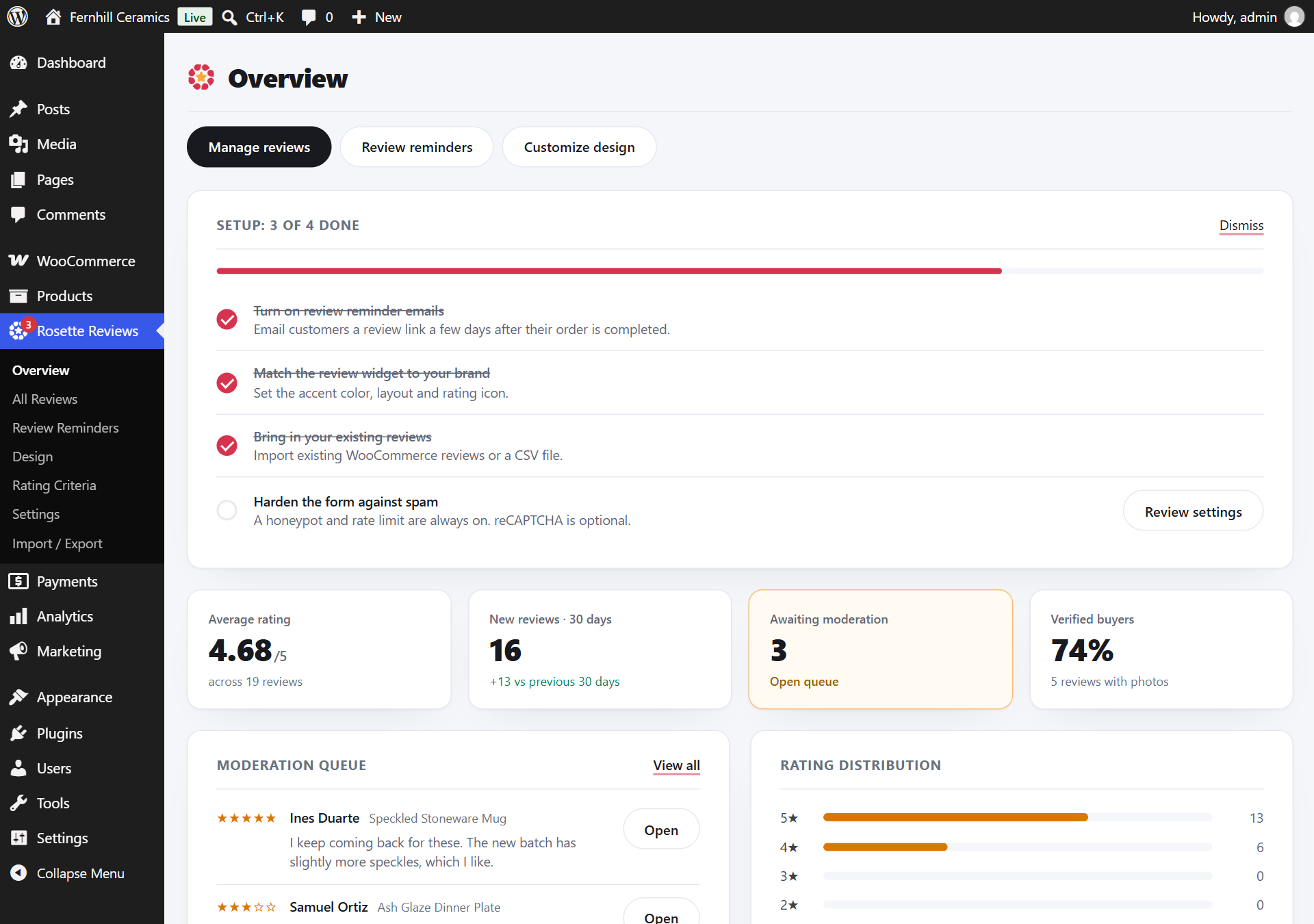
Rosette Reviews’ Overview screen shows a setup checklist, your average rating, new reviews in the last 30 days, the moderation queue and the rating distribution. Review Reminders holds the email settings and a delivery log. Design sets colours, rating icon and layout. Reviews can be placed anywhere with blocks, shortcodes, widgets or Elementor.
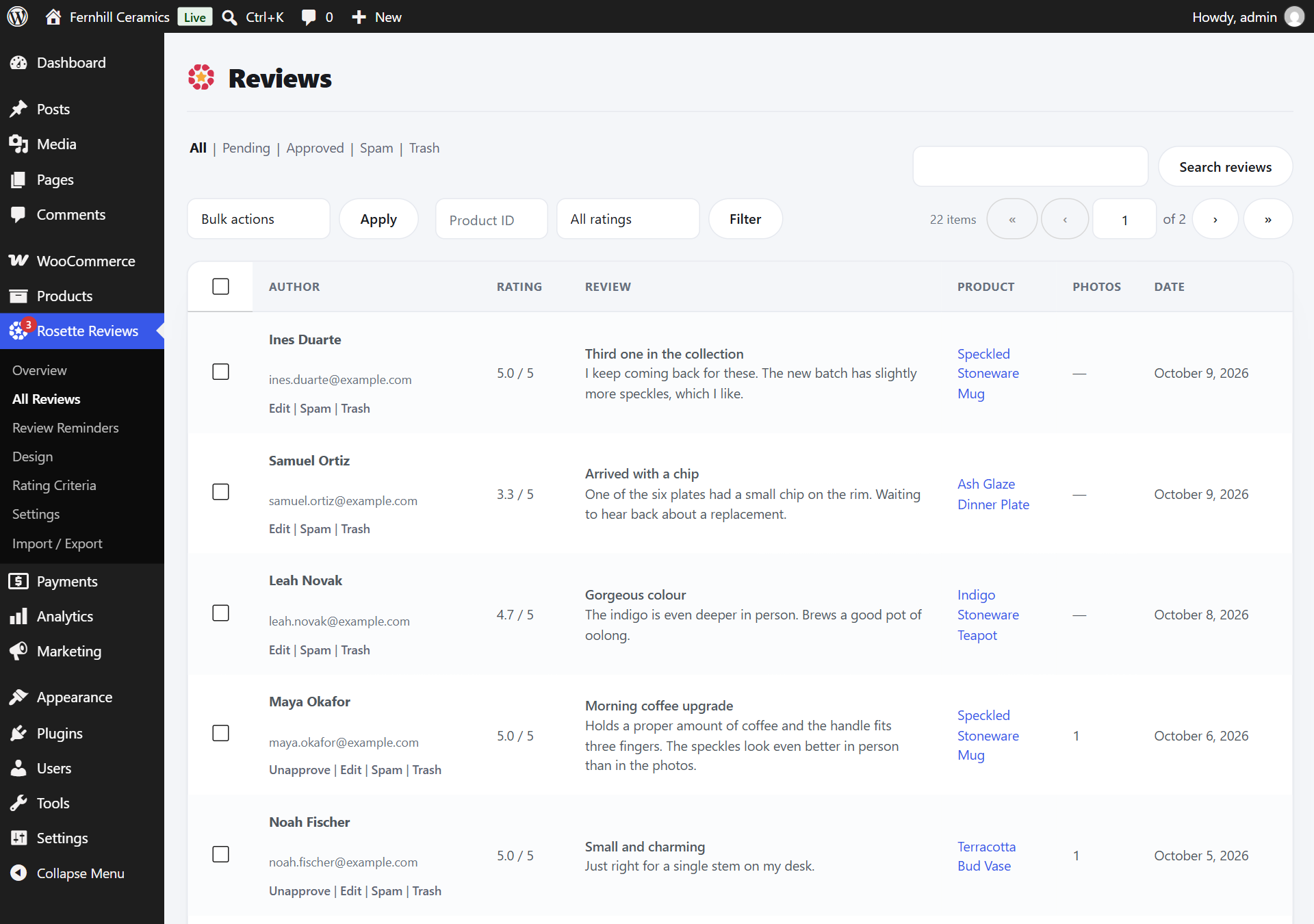
One Overview screen shows the queue, the numbers and the reviews flagged as possible fakes, with each reason worked out on your own server. The Reviews list lets you approve, unapprove, edit, mark as spam, trash and restore, and edit everything in a review, including criteria scores, title, tags and photos.
You set the accent colour, rating icon and its colour, rating bar colour, list or grid, card style, font and text size, and the preview updates as you change them. One setting covers the product tab, shortcodes, blocks and Elementor widgets, so reviews match your theme without writing CSS.
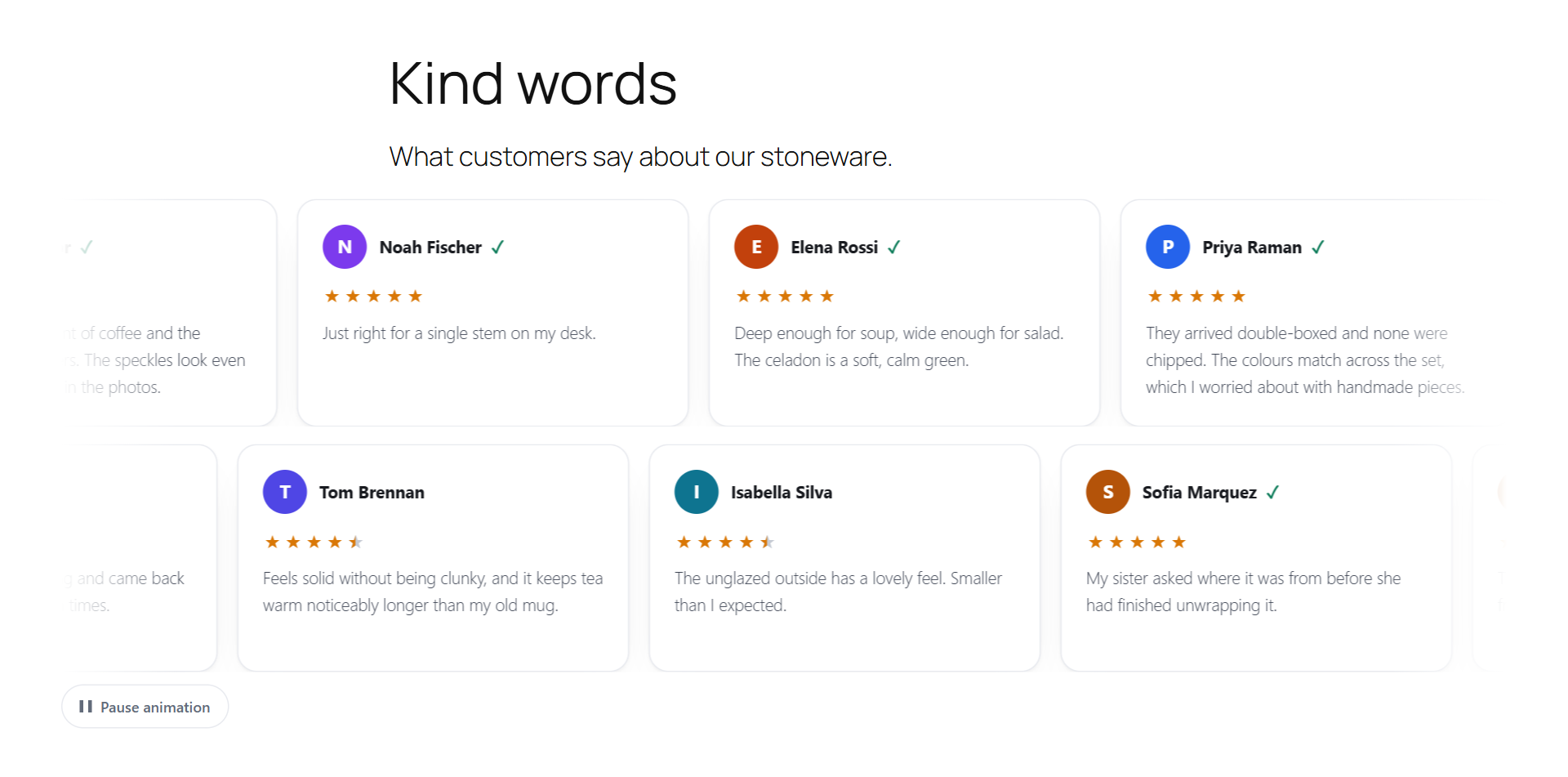
Place reviews with 5 Gutenberg blocks, 6 shortcodes, 5 classic widgets or native Elementor widgets. All of them take their style from the one Design screen and load only on pages that show reviews. The reviews marquee puts a moving strip of your approved reviews on your home and landing pages, with a Pause button.
With the free plugin, no review or customer data leaves your site. Reviews, ratings and photos stay in your WordPress database and uploads folder. Reminder emails go out through your site’s own mail. Avatars are drawn from initials, so there is no Gravatar request. The only optional outside call is a captcha you choose, with your own keys.
| Data | Where it lives | Leaves your site? |
|---|---|---|
| Reviews, ratings and photos | Your WordPress database and uploads folder | No Unless you switch on a Pro connector below |
| Customer names and emails | Your WooCommerce orders | No Unless you switch on a Pro email connector below |
| Reminder emails | Your site’s mail or your SMTP plugin | To the customer only |
| Review avatars | Drawn from initials on your server | No No Gravatar request |
| Captcha (optional) | Google reCAPTCHA v3, Cloudflare Turnstile or hCaptcha, with your own keys | Only if you turn it on The visitor’s browser contacts the provider on pages where they can submit a review |
| AI summaries and replies (Pro, optional) | OpenAI or Anthropic, with your own key | Only if you turn it on Imported reviews never trigger AI calls |
| Connectors, webhooks, auto-post and the Google Shopping feed (Pro, optional) | Google, Facebook, Klaviyo, Mailchimp, Brevo or your webhook URL | Only if you turn it on |
| Licence and update checks (Pro) | Freemius, which sells and licenses Pro | Licence key, for licence and update checks |
For agencies and freelancers, the free plugin runs on any number of sites and exports every review to CSV or JSON. You can override its templates from the theme, and it answers GDPR export and erasure requests through the WordPress privacy tools.
The free plugin is complete, not a trial: reminders, one follow-up, photo reviews, rating criteria, review schema, import and export, GDPR tools, with no caps. Rosette Reviews Pro adds video reviews, store replies, Q&A, coupon rewards, AI summaries with your own key, importers, email connectors and more widgets. Pro is billed yearly, priced by number of sites.
$0
47 features: unlimited reminders with one follow-up, photo reviews, unlimited rating criteria, review schema, import and export, GDPR tools, moderation and fake-review checks.
Download freePrice announced at launch
| 1 site | One store. |
|---|---|
| 5 sites | A few stores, or staging plus live. |
| Unlimited sites | Agencies and client work. |
Everything in Free, plus 21 Pro features and category-specific criteria:
Pro checkout opens at launch. Start with the free plugin, which Pro requires.
Rosette Reviews needs no vendor account, sends unlimited reminders through your own mail and puts a one-click unsubscribe in every one. ReviewX needs a free ReviewX account, syncs products, orders, reviews and coupons to its cloud and caps its free mailer each month. CusRev (Customer Reviews for WooCommerce) stays self-hosted only while its optional cloud mode is off; switched on, it sends customer names, emails, phone numbers and order details.
| Free plan | Rosette Reviews | ReviewX | CusRev |
|---|---|---|---|
| Account with the vendor | Not needed | Required: a free ReviewX account and sync before reviews display | Not needed in self-hosted mode; a free key turns on the optional cloud mode |
| Review reminder emails | Unlimited, plus one follow-up, sent by your site’s own mail | Capped each month through ReviewX’s mailer (its docs give 20 and 50 on different pages); no cap through your own SMTP | Unlimited |
| Store data sent to the vendor | None. An optional captcha is the only outside call | Products, orders, reviews and coupons sync to ReviewX’s cloud | None in self-hosted mode. Cloud mode sends name, email, phone, order reference, product names and prices |
Checked against each vendor’s own pages on 9 October 2026. Every competitor cell on the full comparison pages cites a source you can open.
Rosette Reviews needs WordPress 6.0 or later, WooCommerce 8.0 or later and PHP 7.4 or later, tested to WordPress 7.1. It supports High-Performance Order Storage and the Cart and Checkout blocks and works with WPML and Polylang. Reviews can be placed with blocks, shortcodes, classic widgets or Elementor widgets, and its CSS and JavaScript load only on pages that show reviews.
Store owners most often ask whether Rosette Reviews needs an account, whether the free plugin is a trial, what happens to existing WooCommerce reviews, whether reviews or reminder emails are capped, whether review data leaves the site, and whether its schema conflicts with an SEO plugin. The six answers below come from the plugin’s own documentation. Read all 17 answers
No. Rosette Reviews runs on your WordPress site with no account, licence or API key. The only optional feature that uses an outside service is the captcha you choose (Google reCAPTCHA v3, Cloudflare Turnstile or hCaptcha), and it uses your own keys. Pro needs a licence key from your Freemius purchase.
No. The free plugin has no time limit and no usage caps: it does not count reviews, reminder emails or photos. Rosette Reviews Pro is an optional add-on for stores that want video reviews, store replies, product Q&A, coupon rewards, AI summaries, importers from other plugins and more widgets.
They stay where they are and keep showing. Use the Import / Export screen to bring their ratings into the summary and filters; the importer skips duplicates and reports why any row was skipped. Deactivating or deleting Rosette Reviews leaves your WooCommerce reviews untouched, and data removal on uninstall is opt-in.
No. The plugin does not count or cap reviews, reminder emails or photos. Emails are sent by your site’s normal mail setup, so add an SMTP plugin if your host’s delivery is unreliable. Reminders run on Action Scheduler, the queue WooCommerce itself uses, and the delivery log shows every send and any error.
Not with the free plugin. Avatars are drawn from the reviewer’s initials, so there is no Gravatar request. If you choose a captcha, the visitor’s browser connects to that provider on review pages. In Pro, AI, Google and Facebook sync, email connectors and the Shopping feed send data only after you switch them on.
No. Rosette Reviews adds its AggregateRating and Review data to WooCommerce’s own Product markup instead of printing a second Product, which avoids duplicate rating markup. It can also fill in GTIN, MPN and brand only where WooCommerce or your SEO plugin left them empty. Google decides whether to show review snippets.
Four steps, all inside wp-admin: install WooCommerce, install Rosette Reviews from the plugin directory, activate it, then follow the Overview setup checklist to turn on reminder emails, set your design and import existing reviews. Reviews appear in the product Reviews tab as soon as the plugin is active. Pro is a second plugin you add later with a licence key.
Your next completed order can bring in a review.